von reingenerdet
PromptPamPuff
Prompt. Pam. Puff!
Dein Coding-Agent arbeitet. Du musst nicht auf den Chat starren. Ein sanftes Puff meldet sich, sobald die Antwort da ist oder eine Rückfrage wartet. Your coding agent is working. You don't have to stare at the chat. A gentle puff tells you the moment an answer lands or a question is waiting.
Drei Takte. Kein Warten.Three beats. No waiting.
Du schickst den Prompt los und arbeitest an etwas anderem weiter. Den Rest erledigt das Puff. Send the prompt, get on with something else. The Puff takes care of the rest.

Du gibst deinem Agenten eine Aufgabe.You hand your agent a task.
Die Antwort steht. PromptPamPuff bemerkt es sofort.The answer is in. PromptPamPuff notices instantly.
Mitteilung, sanfter Ton oder beides. Du bist wieder dran.Notification, soft sound, or both. Your turn again.
Klein. Leise. Genau zur richtigen Zeit.Small. Quiet. Right on time.
Eine Comic-Marke mit Augenzwinkern – und eine Oberfläche, die sich wie macOS anfühlt. A comic brand with a wink – wrapped around an interface that feels like macOS.
Wohnt in der MenüleisteLives in the menu bar
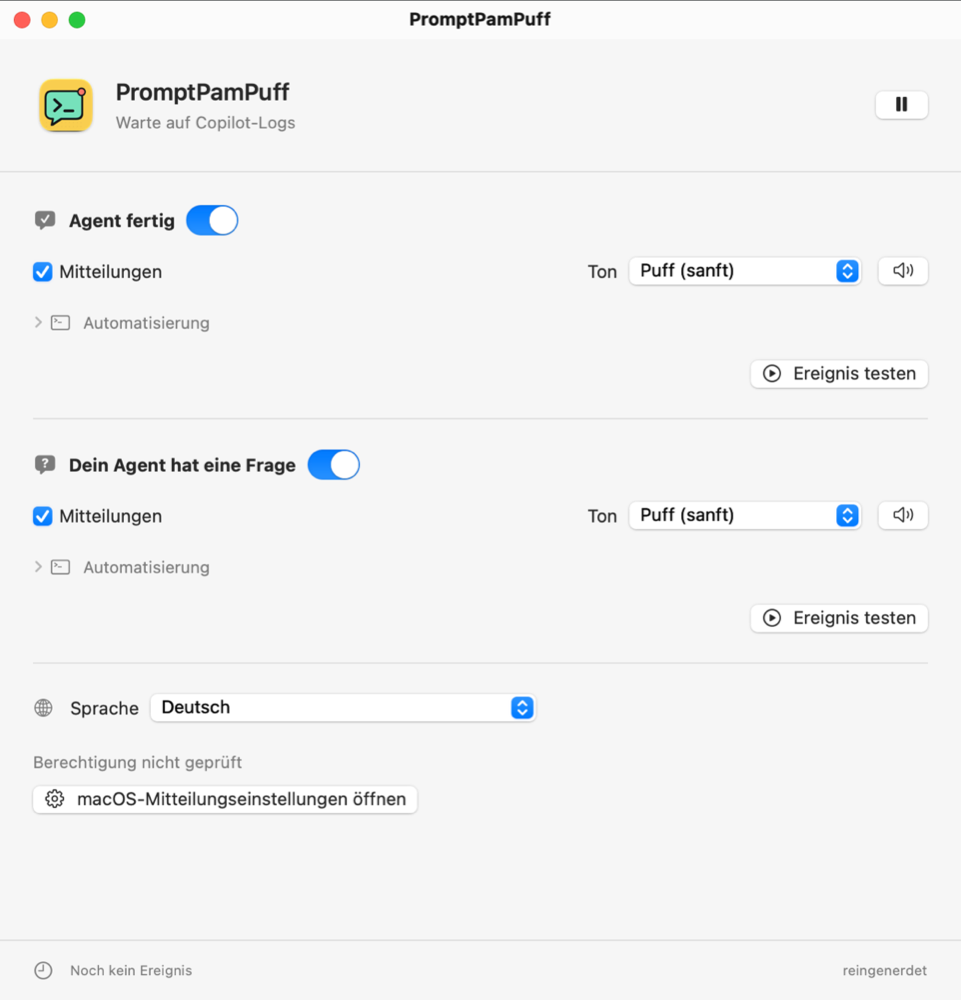
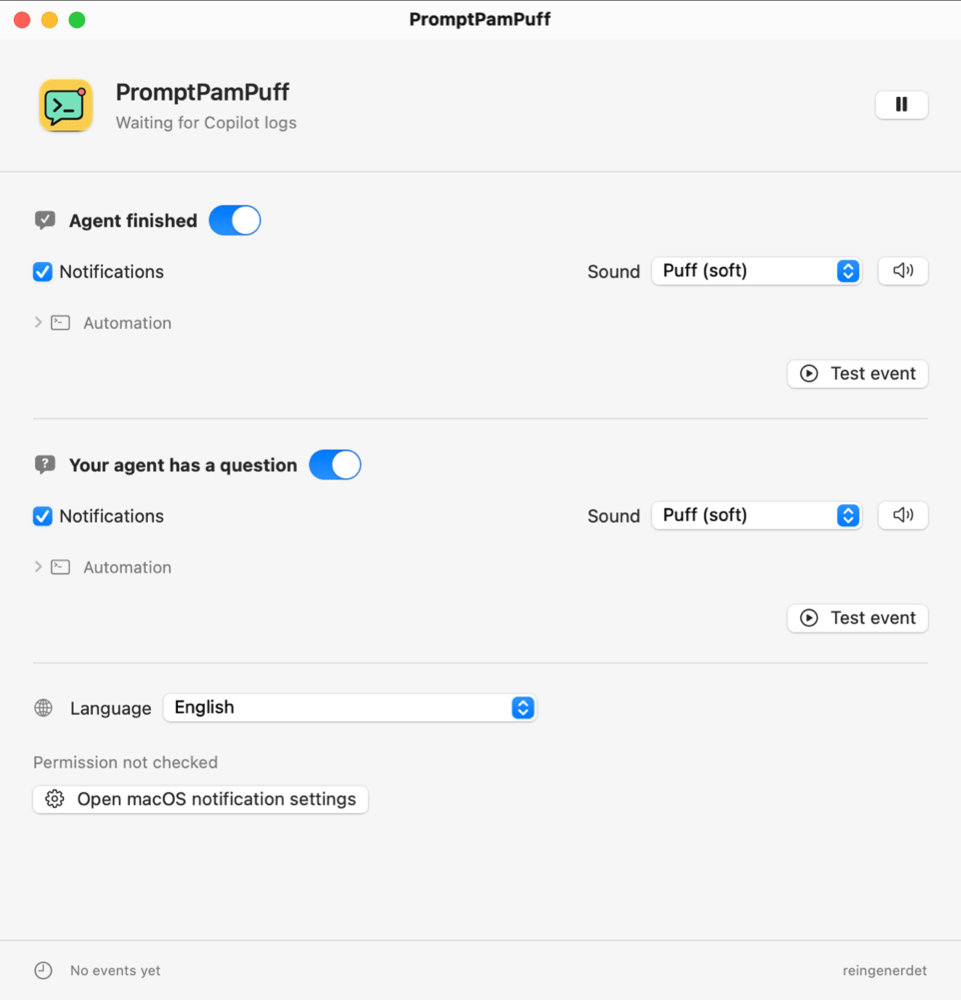
Kein Dock-Symbol, kein Fensterchaos. Ein Klick auf die Sprechblase öffnet die Einstellungen.No Dock icon, no window clutter. One click on the speech bubble opens settings.
Drei Ereignisse, einzeln steuerbarThree events, set individually
Anfrage gestartet, Antwort fertig, Rückfrage gestellt. Für jedes: Mitteilung, Ton, beides oder nichts.Request started, answer completed, follow-up asked. For each: notification, sound, both, or neither.
Ein Puff, kein AlarmA Puff, not an alarm
Ein eigener, 220 Millisekunden kurzer Ton. Oder Stille, wenn Mitteilungen reichen.An original sound, just 220 milliseconds long. Or silence, if notifications are enough.
Eigene HooksYour own hooks
Löse bei jedem Ereignis ein Shell- oder AppleScript aus. Mit Bestätigungsabfrage, bevor ein Hook aktiv wird.Trigger a shell or AppleScript on any event. With a confirmation prompt before a hook is enabled.
Bleibt auf deinem MacStays on your Mac
Keine Logs, keine Chats, keine Telemetrie verlassen deinen Rechner. Die App sendet nichts an externe Dienste.No logs, chats or telemetry leave your computer. The app sends nothing to external services.
Vier SprachenFour languages
Deutsch, English, Français und Español – direkt in der App umschaltbar, ohne Neustart.Deutsch, English, Français and Español – switchable inside the app, no restart needed.
Laut im Auftritt.
Ruhig im Inneren.Loud on
the outside.
Calm on the inside.
Der Rahmen ist Comic, das Fenster ist reines macOS: Systemschrift, Systemfarben, Standard-Titelleiste. Kein erzwungener Dark Mode. The brand is comic, the window is pure macOS: system font, system colors, standard title bar. No forced dark mode.
- Ereignis testen, ohne auf den Agenten zu wartenTest an event without waiting for your agent
- Überwachung jederzeit pausierenPause monitoring at any time
- Respektiert Fokus-Modus und macOS-MitteilungseinstellungenRespects Focus modes and macOS notification settings
Pro EreignisPer event
Sanfter TonSoft sound
Ereignis testenTest event
In einer Minute eingerichtet.Set up in a minute.
Laden & entpackenDownload & unzip
Lade PromptPamPuff.zip aus den GitHub-Releases und entpacke
sie.Grab PromptPamPuff.zip from the GitHub releases
and unzip it.
Ab nach ProgrammeMove to Applications
Ziehe PromptPamPuff.app in den Ordner
/Programme.Drag PromptPamPuff.app into
/Applications.
Erlauben & losAllow & go
Beim ersten Start öffnen sich die Einstellungen. Erlaube Mitteilungen – fertig.Settings open on first launch. Allow notifications – done.
Voraussetzungen: macOS 13 (Ventura) oder neuer · GitHub Copilot Chat in VS Code Stable Requirements: macOS 13 (Ventura) or later · GitHub Copilot Chat in VS Code Stable
Gute Fragen.Good questions.
Welche Agenten werden unterstützt?Which agents are supported?
Aktuell GitHub Copilot Chat in VS Code Stable. Der Slogan ist die Markenbotschaft, keine Zusage für beliebige Coding-Agenten.Currently GitHub Copilot Chat in VS Code Stable. The slogan is the brand message, not a promise for every coding agent.
Wie erkennt die App, dass der Agent fertig ist?How does the app know the agent is done?
PromptPamPuff liest die lokalen Log-Dateien von VS Code und reagiert auf drei Signale. Das ist keine offizielle Copilot-API – Updates der Erweiterung können die Erkennung beeinflussen.PromptPamPuff reads VS Code's local log files and reacts to three signals. It is not an official Copilot API – extension updates can affect detection.
Werden Daten gesendet?Is any data sent?
Nein. Alles passiert auf deinem Mac. Eigene Hook-Skripte laufen mit deinen Rechten und können natürlich selbst Netzwerkzugriffe ausführen – das liegt in deiner Hand.No. Everything happens on your Mac. Your own hook scripts run with your privileges and can of course perform their own network calls – that's up to you.
Wie deinstalliere ich die App?How do I uninstall it?
PromptPamPuff beenden, die App aus /Programme löschen und optional
den Ordner ~/Library/Application Support/PromptPamPuff/
entfernen.Quit PromptPamPuff, delete the app from
/Applications, and optionally remove ~/Library/Application
Support/PromptPamPuff/.